Ticketing for promoters
More than a ticket.
Ticketing built for promoters who want to sell out: a checkout made for phones, your brand on every page, and every sale tagged with where it came from.
Bought a ticket? Find my tickets
- Card payments by Stripe
- Fees shown before anyone pays
- Paid to your own Stripe account
- No account needed to buy
- Door scanner on any phone
Why MOO
Built to sell tickets, from the first click to the door.
- A checkout that convertsOne page made for phones: no account, no forms before payment, and the tickets held while they pay.
- Prices people trustEvery price shows the booking fee from the first look, so nothing jumps at checkout.
- Your brand up frontYour artwork, colours and logo lead the event page. MOO stays in the frame.
- See what sellsEvery order keeps the campaign and link it came from, so you know which posts and ads sell tickets.
- Your buyers, your listOrders and attendees you can export, and buyers who choose to hear from you again.
- Paid to your accountTicket money goes straight to your own Stripe account, on Stripe’s payout schedule.
How it works
Three steps to your first sale.
Create your event
Name, artwork, venue, date, price and capacity, all on one screen. Connect Stripe and you’re ready to publish.
Share your link
Post it, put it in your ads or embed the ticket box on your own site. Every sale records where it came from.
Sell and scan
Buyers get their tickets by email with a QR code. Your team scans them at the door from any phone.
Live Rock Night
The real product
From the first idea to the last one through the door.
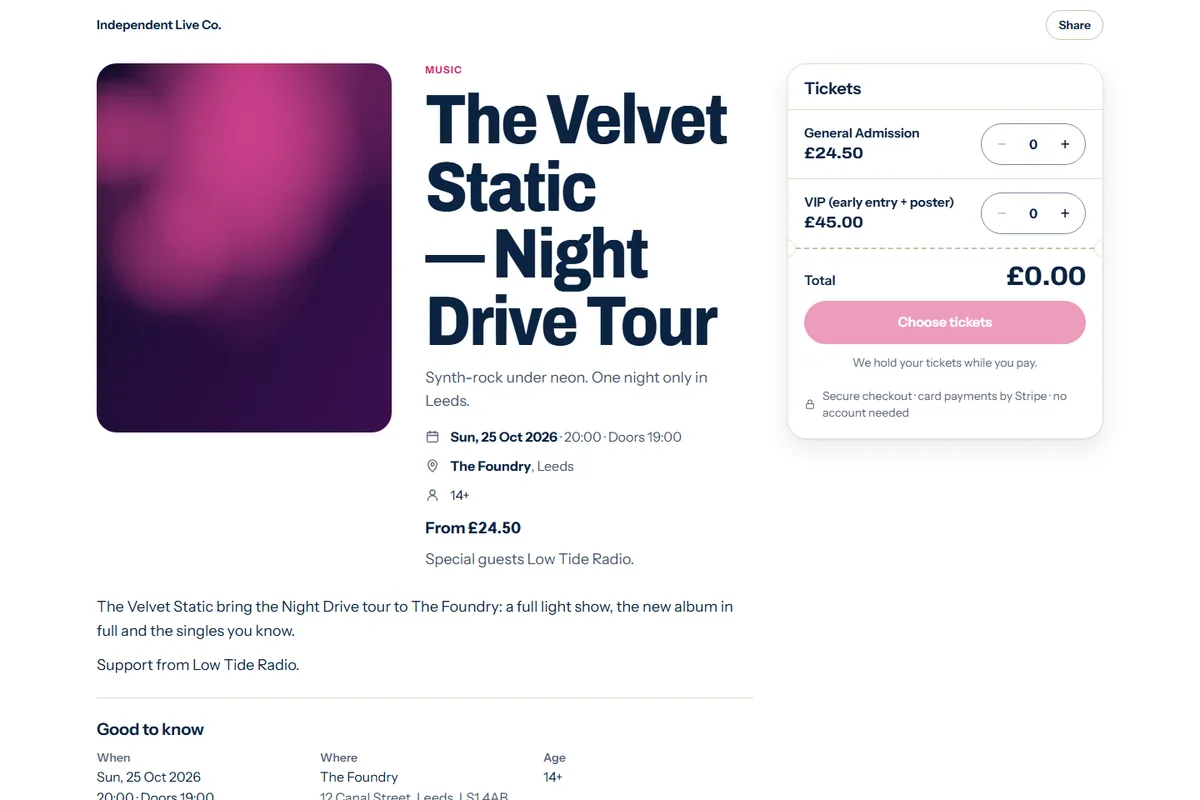
Build your event page
Artwork, dates, doors, venue, age limit and tickets in four short steps. Early bird, standard and VIP tiers, each with its own price and sales window. Free tickets cost nothing.
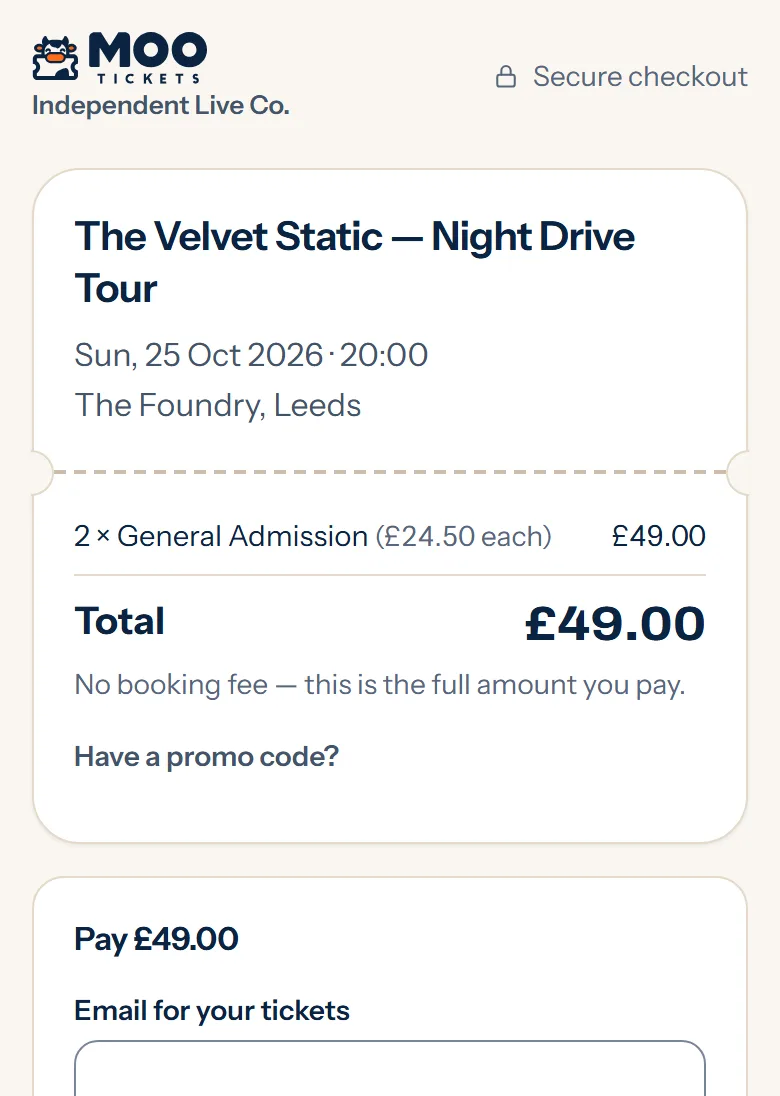
A checkout made for phones
Buyers pick their tickets and pay in a few taps, with no account to create. Every fee is on its own line before they pay. Card details go to Stripe — never to you, never to us.
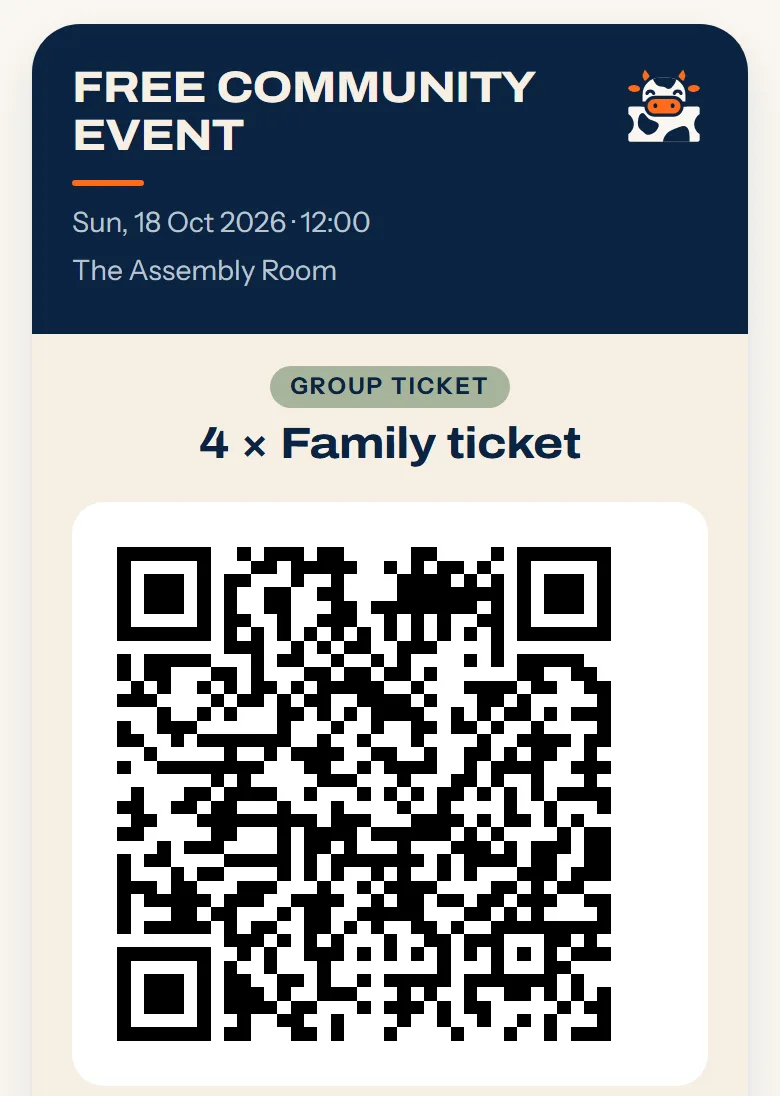
Tickets that work at the door
Every ticket has its own QR code — on the confirmation page, in the email and as a PDF. For families and groups you can choose one QR code for everyone booked together.
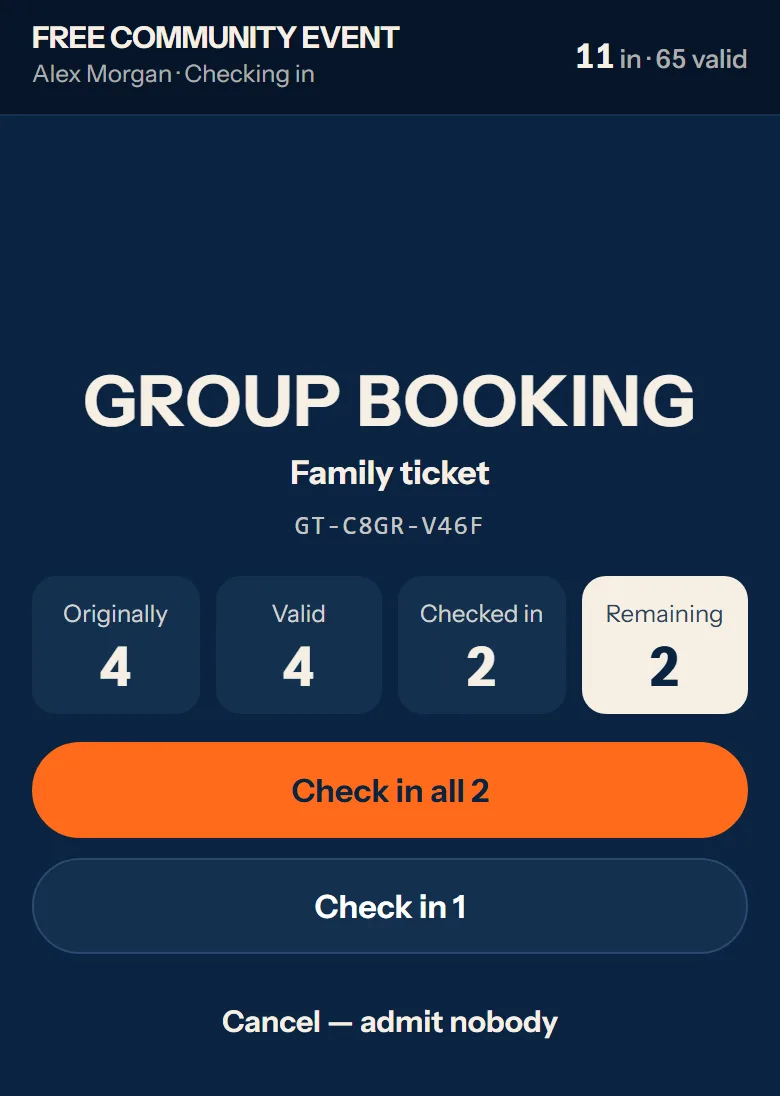
Run the door from your phone
Open the scanner in any phone’s browser. Used, refunded and cancelled tickets are refused with the reason on screen. A group QR lets the door admit part of a group and the rest later.
Know where you stand
Orders, refunds, transfers and sales in one place, with attendee lists and sales you can export. Invite admins, event managers and door staff — each sees what their role needs.
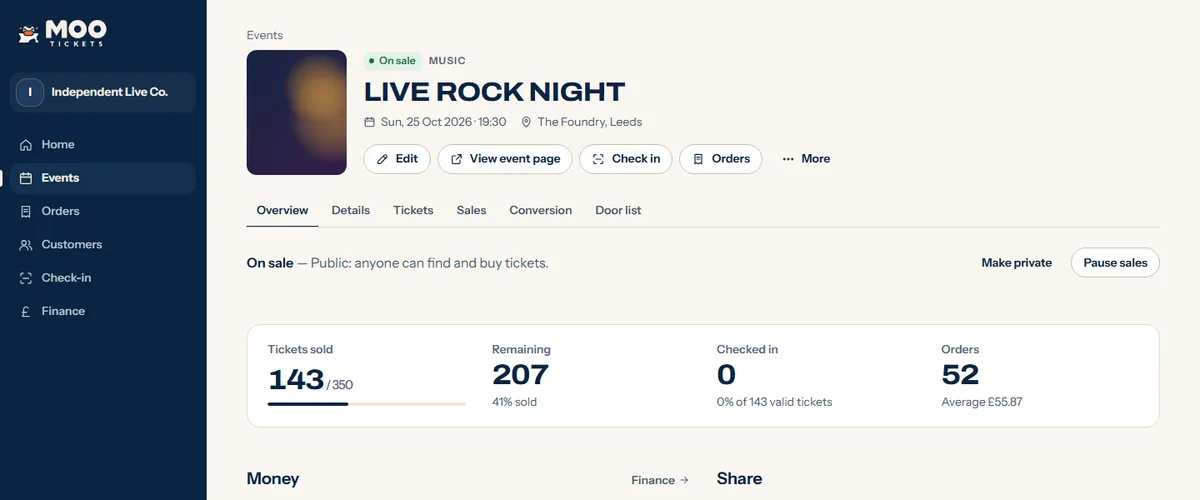
Screens from MOO with invented example events.
Pricing
Fees you can see before you sell.
Free tickets cost nothing. Your buyers see every fee on its own line before they pay.
Pricing is agreed with each organiser during the private beta — you see exactly what you’d pay before you sell a ticket.
Security
Safe for you and your buyers.
- Card details never touch usPayments are taken by Stripe. Card numbers never reach MOO or the organiser.
- Codes that can’t be guessedEvery QR code is a long random code that can’t be guessed or made up, and it is stored encrypted.
- One entry per ticketUsed, refunded and cancelled tickets are refused at the door, with the reason on screen.
- Two-step sign-inOwners turn on two-step sign-in before they take payments, and it is asked for again before large refunds.
- Private ticket linksOrder and ticket pages load no advertising trackers, so a buyer’s ticket link stays theirs.
Questions
Good to know.
Do I need an account to buy tickets?
No. You choose your tickets, pay, and they arrive by email and on your order page. Prices shown before checkout already include any booking fee.
Where are my tickets?
In the email sent when you paid, and on your order page. Lost the email? Find my tickets sends the links to the address you paid with.
Can I get a refund?
Refunds are decided by the event’s organiser. Their policy is on the event page, and you can contact them from your order.
How do organisers get paid?
Card payments are taken by Stripe and paid out to the organiser’s own Stripe account. MOO’s fees are shown on Pricing before you sell.
Can I scan tickets at the door?
Yes, from a phone’s browser. Each ticket admits once; a second scan shows it was already used, with the reason on screen.
Can I see which ads sell my tickets?
Yes. Every order keeps the campaign link that brought the buyer (UTM tags and Meta or Google click ids), and Reporting shows sales by source.
More answers in Help.